Proxy & Domains
DiscoPanel has a built-in proxy for Minecraft connections. With it, all of your servers share a single port, and players connect by name:
survival.mc.example.comconnects to your survival servercreative.mc.example.comconnects to your creative servermodded.mc.example.comconnects to your modded server
Without the proxy, every server needs its own port, and players connect with an address like 203.0.113.5:25566. Both ways work - the proxy is just much nicer once you run more than one server.
Setting it up
Section titled “Setting it up”Enable the proxy in config.yaml (or with the Proxy routing toggle on the Network page):
proxy: enabled: true listen_port: 25565Everything else lives on Settings > Network - a live map of your entire DiscoPanel network:
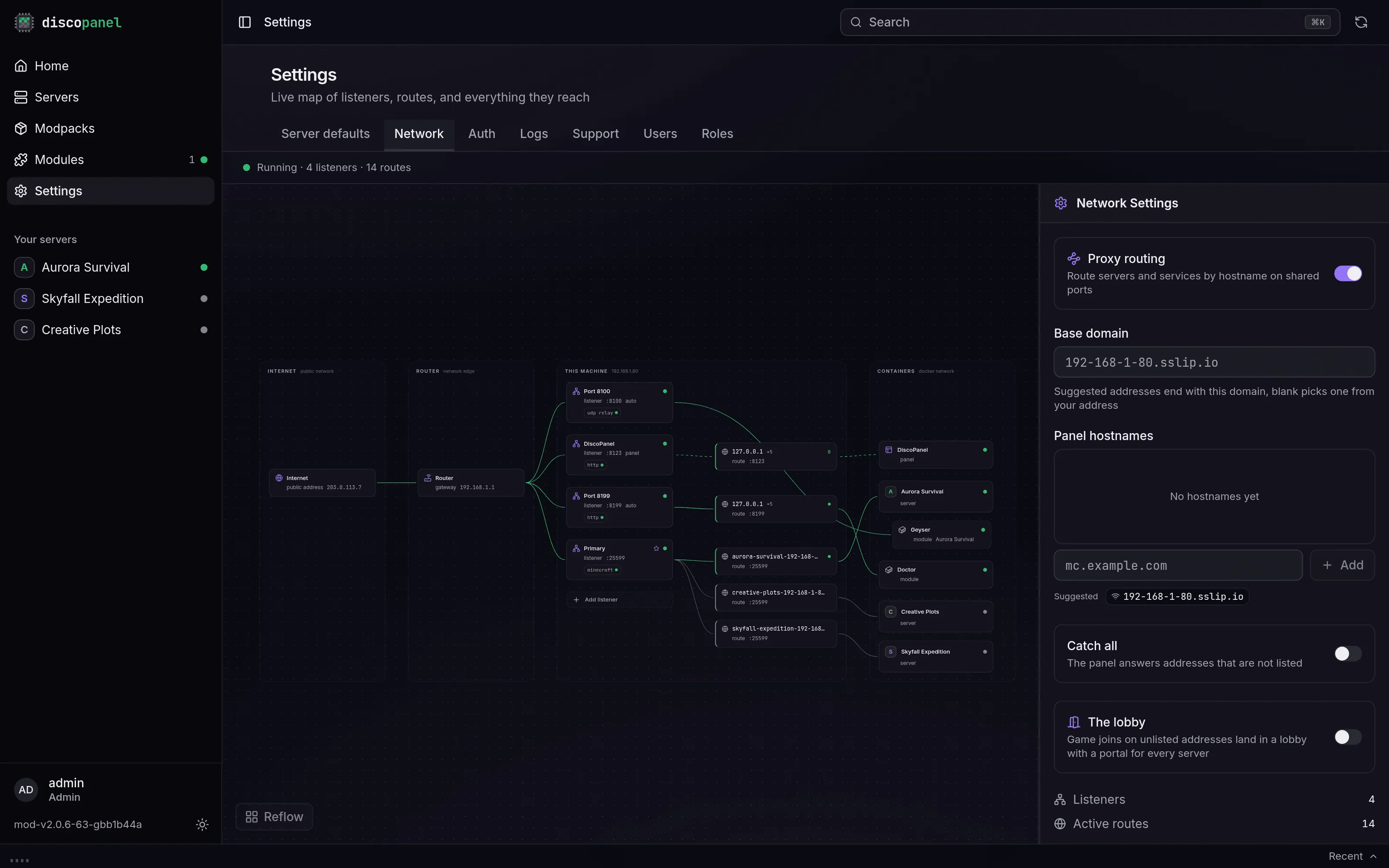
Every hostname field in DiscoPanel suggests ready-to-use names derived from one base domain, set on that page:
- Leave it blank and DiscoPanel picks a base from your machine’s address that resolves with zero DNS setup. Great for LAN play or trying things out.
- Set your own domain like
mc.example.comand every suggestion becomes a subdomain of it. Point a wildcard DNS record (*.mc.example.com) at your public IP and forward the listen port on your router - one record, one port, unlimited servers.
Server addresses
Section titled “Server addresses”Hostnames are added per server on its Network tab. A server called “Epic Survival” gets a suggestion like epic-survival.mc.example.com - pick it, type your own, or add several. A server can answer on as many hostnames as you like.
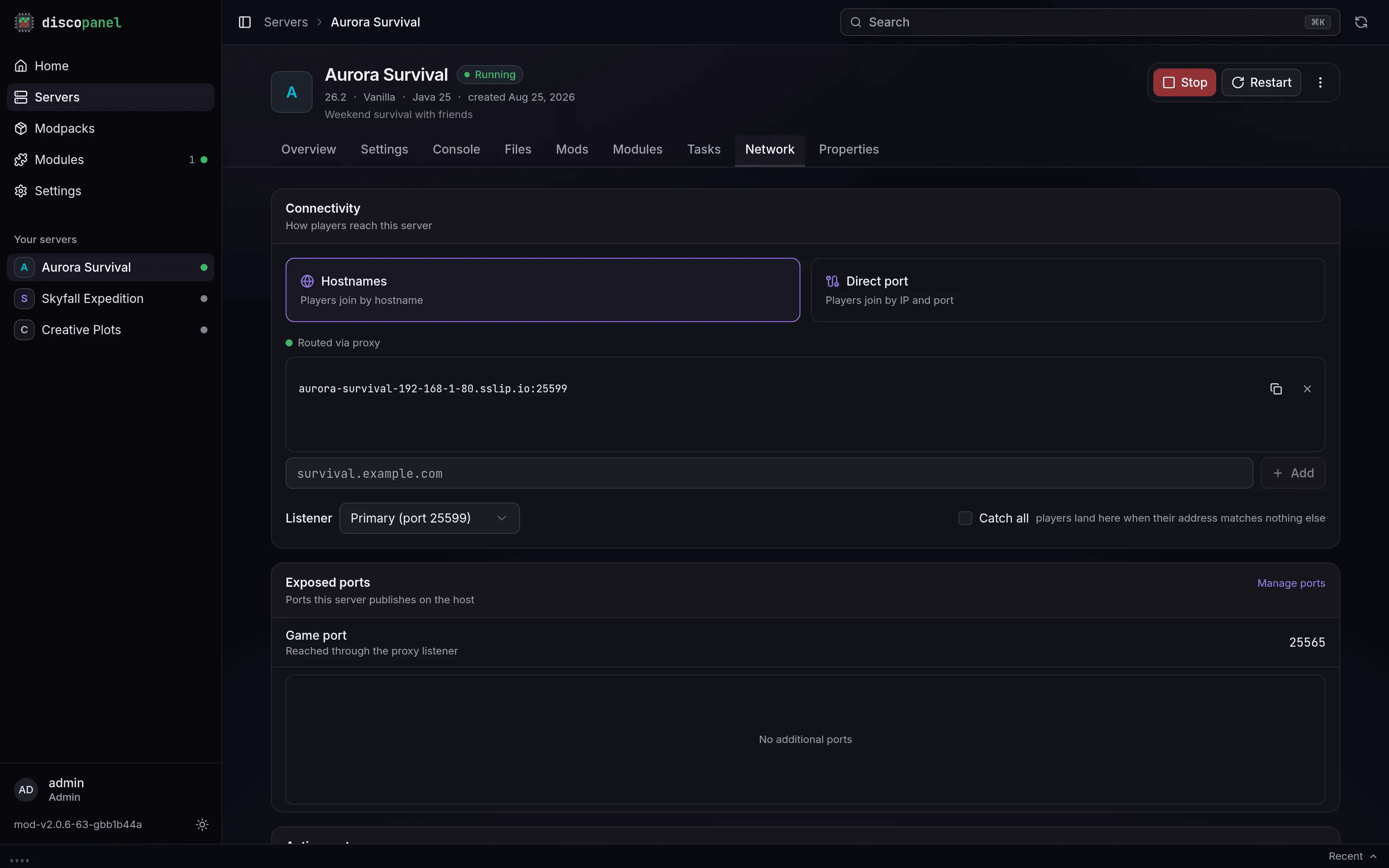
The same tab picks the listener the server answers on, and has a Catch all switch: players whose address matches nothing else land on that server. Without a catch-all, unmatched joins either get a polite “unknown address” screen or, if you’ve enabled it, the lobby.
What the proxy gets you
Section titled “What the proxy gets you”- One port for everything. New servers are instantly reachable, no router changes.
- Wake on join. Auto-pause only works behind the proxy: it’s the proxy that answers pings for a sleeping server and wakes it when someone actually joins.
- The lobby. An optional panel-hosted hub world where players pick a server by walking through a portal.
- No exposed ports per server. Proxied servers don’t open any ports on your machine. The proxy handles all the traffic.
Without the proxy
Section titled “Without the proxy”Servers not behind the proxy bind their own port directly (DiscoPanel suggests the next free one, counting up from 25565). Players connect with your-ip:port, and each server’s port has to be forwarded on your router separately. On a home network your friends need your public IP - search “what is my IP” - and people on the same WiFi as you use your local IP instead.