Server Backups
DiscoPanel has built-in server backups via the Backup task type. Backups run on a schedule (or on demand), safely archive your world data while the server is running, and clean up old backups automatically based on the retention rules you set.
Creating a backup task
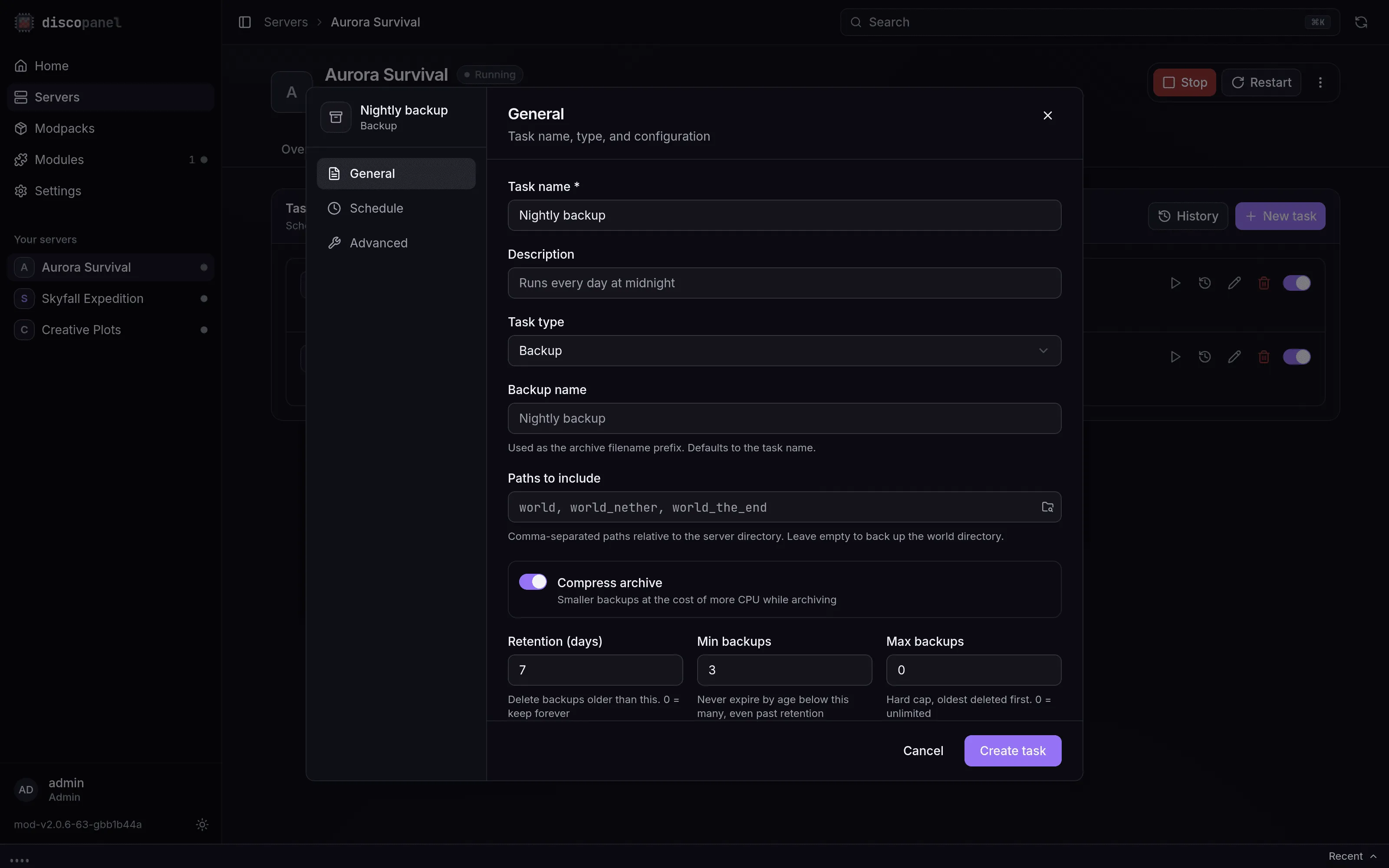
Section titled “Creating a backup task”- Open your server and go to the Tasks tab.
- Click New Task and select the Backup task type.
- Configure what to back up and how long to keep backups (see below).
- Pick a schedule - a cron expression (e.g.
0 0 * * *for daily at midnight), a fixed interval, or a one-time run. - Create the task. You can also trigger it immediately with the Run Now button.
Every run is recorded in the task’s execution history, including the archive name, file count, size, duration, and how many old backups were pruned.
What gets backed up
Section titled “What gets backed up”By default (with Paths to Include left empty), DiscoPanel backs up the server’s world directory. On Paper, Spigot, and other Bukkit-based servers, the separate world_nether and world_the_end dimension folders are included automatically. On vanilla and Forge/Fabric servers, the nether and end already live inside the world folder, so they’re covered either way.
To back up more than the world - or a custom layout - list paths explicitly, comma-separated and relative to the server directory:
world, world_nether, world_the_end, server.properties, configThe folder button next to the field browses the server’s files and appends whatever you pick:
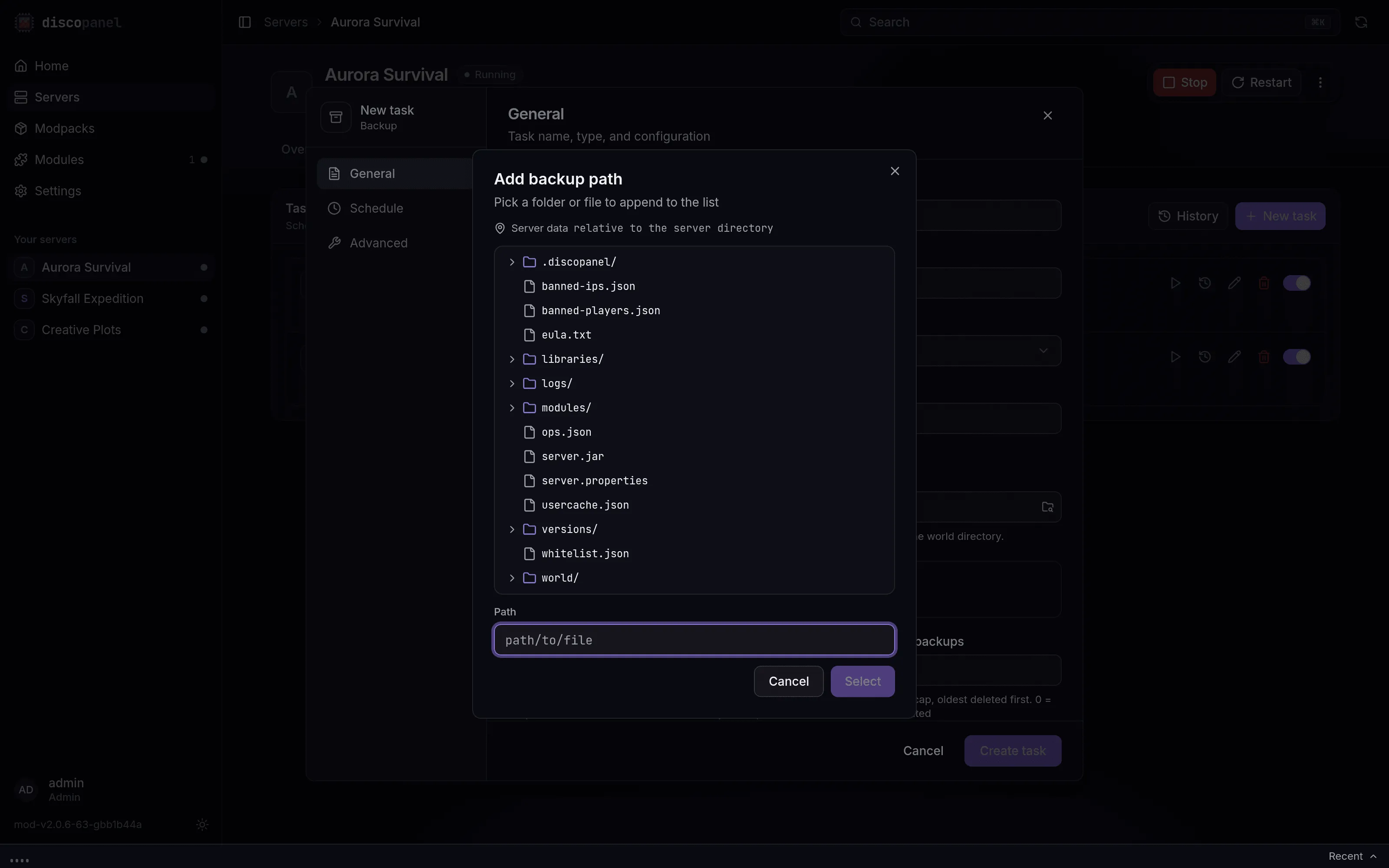
Paths that don’t exist yet (for example, a dimension that hasn’t generated) are skipped and noted in the task output rather than failing the backup.
Backup options
Section titled “Backup options”| Option | What it does |
|---|---|
| Backup Name | Filename prefix for the archives. Defaults to the task name. |
| Paths to Include | Comma-separated paths relative to the server directory. Empty = world directory. |
| Compress Archive | Compresses archive contents. Disable for faster backups that use more disk. |
| Retention (days) | Backups older than this are deleted after each run. 0 = keep forever. |
| Min Backups | Age-based expiry never reduces the backup count below this. The most recent backup is always kept. |
| Max Backups | Hard cap on the number of backups, oldest deleted first. 0 = unlimited. Takes precedence over Min Backups. |
The retention rules combine like this: Retention (days) expires old backups, Min Backups stops that expiry from leaving you with too few (useful for servers that back up rarely or sit idle), and Max Backups is an absolute ceiling on disk usage.
Retention is scoped to the task’s backup name, so multiple backup tasks for the same server (e.g. an hourly world backup and a weekly full backup) never prune each other’s archives.
Where backups are stored
Section titled “Where backups are stored”Backups are written as .zip files to DiscoPanel’s backup directory, grouped per server:
<backup_dir>/<server_folder>/<backup_name>_<timestamp>.zipThe backup directory is set by storage.backup_dir in config.yaml (default ./backups), or the DISCOPANEL_STORAGE_BACKUP_DIR environment variable. If you run DiscoPanel in Docker, make sure it’s mounted as a volume so backups survive container recreation:
volumes: - ./backups:/app/backupsRestoring a backup
Section titled “Restoring a backup”- Stop the server.
- Locate the backup
.zipin your backup directory on the host. - In the server’s Files tab, delete (or rename) the world folder(s) you’re restoring, then upload the backup archive and extract it. Alternatively, extract it directly into the server’s data directory on the host.
- Start the server.